
Free
$0Free plan available.
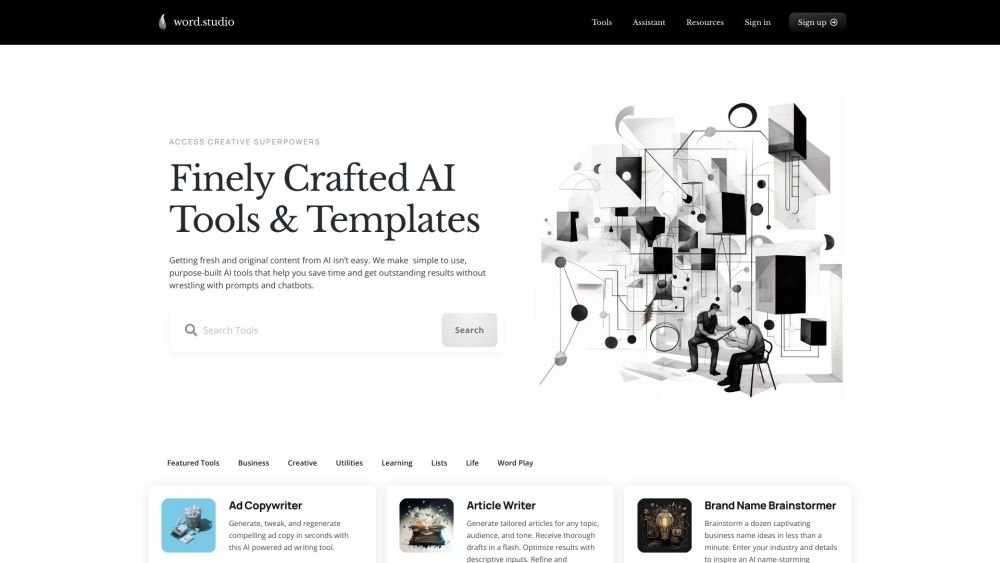
Word.Studio is a platform offering a collection of AI-powered tools and templates designed to assist users in writing, brainstorming, editing, researching, and refining ideas. It aims to provide simple-to-use, purpose-built AI tools that save time and deliver outstanding creative results without the need for complex prompts or chatbot interactions. The platform includes tools for business, academic, career development, writing, word play, and image generation.
Users can access a variety of AI tools and templates on the Word.Studio platform. Select a tool tailored to your specific task, such as writing an article, generating a business plan, or creating a logo. Input the necessary information or text, and the AI will generate the output. Pro membership provides full access to all available tools.
Word.Studio writes, analyzes, and performs research using advanced large language models (LLMs), including OpenAI’s GPT-4o and o1-mini, and Anthropic’s Claude 3.5 Sonnet. Our image generators use models such as OpenAI’s DALL-E 3 and Black Forest Labs’ FLUX Pro. We select the most appropriate model for each tool to ensure high-quality results for your specific task.
We are located in Austin, Texas.
We are developing a comprehensive library of AI-powered tools and templates to help everyone leverage the power of language to create.
Please reach out to us via email at hello@word.studio.
Free plan available.

Similar AI tool in the AI Assistant category.
Similar AI tool in the AI Productivity Tools category.
Similar AI tool in the AI Chatbot category.
Similar AI tool in the AI Writing Assistants category.
Similar AI tool in the AI Assistant category.
Similar AI tool in the AI Image Generator category.
Similar AI tool in the AI Writing Assistants category.
Similar AI tool in the AI Writing Assistants category.
Similar AI tool in the AI Assistant category.
Similar AI tool in the AI Assistant category.
Similar AI tool in the AI Chatbot category.
Similar AI tool in the AI Image Generator category.