
Free
$0Free plan available.
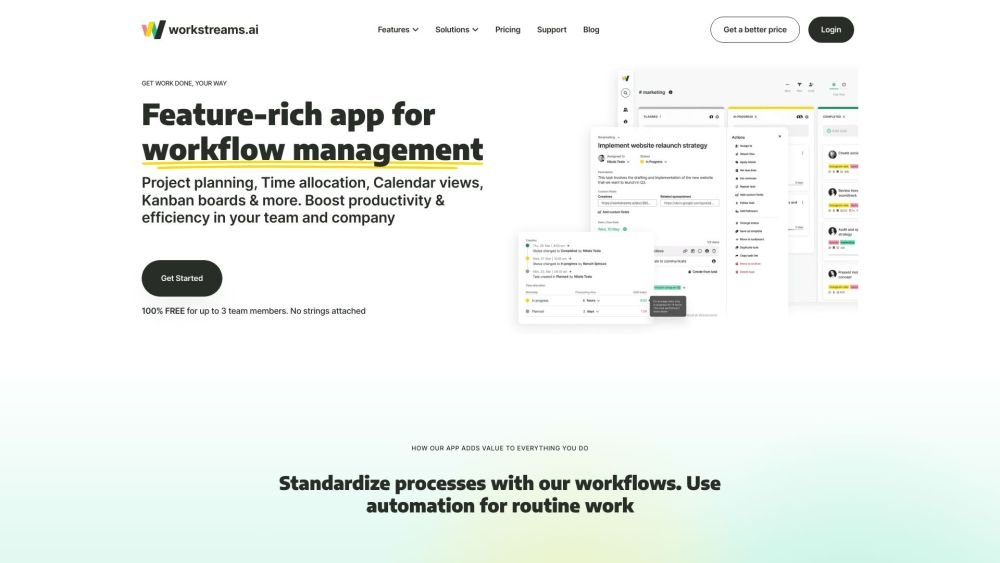
workstreams.ai is a visual project management and collaboration tool that inspires teamwork and streamlines collaboration between teams. It allows users to automate workflows, manage tasks, set priorities, allocate time, and track team performance in one place. The app integrates with Slack and Microsoft Teams, enabling task creation and management directly within chat channels.
Users can create workflows, manage tasks on Kanban boards, allocate time to tasks, and integrate with Slack and Microsoft Teams to create and manage tasks directly from chat channels. The platform offers features like task templates, calendar views, and automation for repeating tasks.
The workstreams.ai Free plan is available at no cost. It includes all platform features for a team of up to 3 members. For larger teams, you can upgrade to the Pro plan, which is priced based on the number of users interacting with the application.
You can add new members at any time, and your monthly bill will be adjusted based on actual usage.
We process payments through Stripe, allowing you to purchase workstreams.ai Pro using any major credit card.
All communication within workstreams.ai is secured via the HTTPS protocol. We do not store data regarding your users or their communications; we only store the tasks, labels, and goals you create within the platform.
Free plan available.
Use these comparison pages to understand the trade-offs between the models most relevant to workstreams.ai.
Compare Amazon Nova Pro and Amazon Nova Lite across pricing, context window, capabilities, benchmarks, and API access to choose the better fit for tool-augmented workflows versus tool-augmented workflows.
Compare Amazon Nova Lite and Amazon Nova Micro across pricing, context window, capabilities, benchmarks, and API access to choose the better fit for tool-augmented workflows versus tool-augmented workflows.
Compare Amazon Nova Lite and Mistral Medium 3 across pricing, context window, capabilities, benchmarks, and API access to choose the better fit for tool-augmented workflows versus tool-augmented workflows.
Compare Amazon Nova Lite and Mistral Small 3.1 (25.03) across pricing, context window, capabilities, benchmarks, and API access to choose the better fit for tool-augmented workflows versus cost-efficient scale.

Similar AI tool in the AI Chatbot category.
Similar AI tool in the AI Assistant category.
Similar AI tool in the AI Marketing category.
Similar AI tool in the AI Productivity Tools category.
Similar AI tool in the AI Assistant category.
Similar AI tool in the AI Writing Assistants category.
Similar AI tool in the No-Code&Low-Code category.
Similar AI tool in the AI Chatbot category.
Similar AI tool in the AI Image Generator category.
Similar AI tool in the AI Assistant category.
Similar AI tool in the AI Chatbot category.
Similar AI tool in the AI Productivity Tools category.