
Free
$0Free plan available.
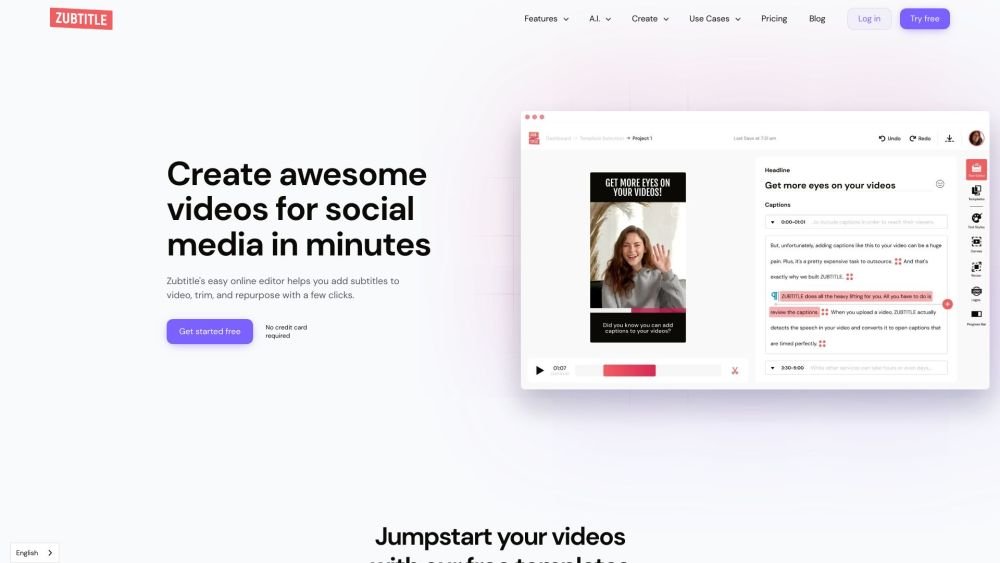
Zubtitle is an online video editing tool powered by AI that makes it easy to subtitle videos and get them ready for social media. Resize, trim, and animate videos in minutes. It helps users automatically add captions or subtitles to videos, use brand fonts and colors, add video headlines, caption animations, resize and crop videos, trim videos, upload logos, and add progress animations.
Upload your video to Zubtitle, and the AI will automatically transcribe the audio into video captions. Afterward, use the editor to add headlines, resize, crop, trim, include logos, and customize your styling.
Yes. You maintain full control over your account and subscriptions, allowing you to cancel or change your plan whenever you choose.
Yes. Zubtitle is mobile-friendly and compatible with both iOS and Android devices.
Yes. The free trial plan allows you to upload one video and access all editing features, including captioning, at no cost.
Yes. For every video processed in Zubtitle, you can download the corresponding .txt or .srt file.
Zubtitle accepts videos in .mp4, .mov, or .m4v formats that are under 1.0 GB, use the H.264 codec (H.265/HEVC is supported in Safari only), have a resolution up to 4096x2160, and are 20 minutes or less in duration.
Free plan available.
Use these comparison pages to understand the trade-offs between the models most relevant to Zubtitle.
Compare Gemini 1.0 Pro Deprecated and Gemini 2.0 Flash across pricing, context window, capabilities, benchmarks, and API access to choose the better fit for long-context workloads versus long-context workloads.
Compare Gemini 1.0 Pro Deprecated and Gemini 2.5 Flash across pricing, context window, capabilities, benchmarks, and API access to choose the better fit for long-context workloads versus long-context workloads.
Compare Gemini 2.0 Flash Lite and Gemini 2.0 Flash across pricing, context window, capabilities, benchmarks, and API access to choose the better fit for long-context workloads versus long-context workloads.
Compare Gemini 2.5 Flash and Gemini 2.0 Flash across pricing, context window, capabilities, benchmarks, and API access to choose the better fit for long-context workloads versus long-context workloads.

Similar AI tool in the AI Video Generator category.
Similar AI tool in the AI Social Media category.
Similar AI tool in the AI Social Media Post Generator category.
Similar AI tool in the AI Video Generator category.
Similar AI tool in the AI API category.
Similar AI tool in the AI Chatbot category.
Similar AI tool in the AI Image Generator category.
Similar AI tool in the AI Answer category.
Similar AI tool in the AI Assistant category.
Similar AI tool in the AI Video Generator category.
Similar AI tool in the AI Chatbot category.
Similar AI tool in the AI Video Editor category.