
Free
$0Free plan available.
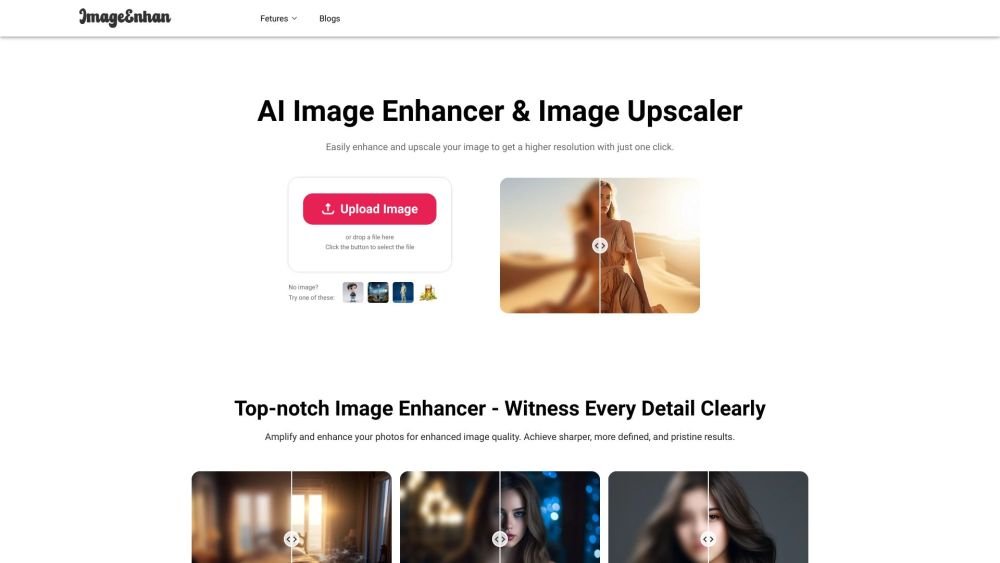
Imageenhan is an AI Image Enhancer and Upscaler that transforms images into high-quality visuals. It uses advanced AI technology to enhance and upscale images, allowing users to increase the resolution of low-quality photos by up to 4X without losing detail. It improves the clarity of blurry photos and can automatically upscale images to 4K resolution. The platform also provides tools for product image enhancement, anime generation, watermark removal, and background removal.
1. Upload your image to the Imageenhan website or mobile application. 2. The AI will automatically process, enhance, and upscale your image. 3. Download the final enhanced image.
To improve photo quality, you can use techniques such as cropping, deblurring, color correction, adjusting light and shadows, modifying saturation, applying filters or overlays, creating collages, and removing unwanted objects.
People use image enhancers to restore blurry old family photos and preserve memories. Additionally, they can transform low-quality user-generated content (UGC) into high-resolution, print-ready images or professional designs for social media.
Yes. Our mobile application includes a photo enhancer feature that allows you to improve your images on the go, whether you are using an iPhone (iOS) or an Android device.
Images that are already sharp or have been previously enhanced may not show further improvement. For severely degraded images, deblurring results may vary, though a second attempt can be made. Our algorithm is optimized for human portraits and may perform differently on text, landscapes, or other subjects.
The platform supports standard formats including JPG, PNG, JPEG, and BMP, with a file size limit of 15 megabytes. Images should feature clear foreground subjects like people, animals, products, cartoons, cars, or graphic icons. Images exceeding 1980 x 1080 pixels will be automatically resized to the supported resolution.
While Imageenhan performs well on most images, results can vary based on image complexity. Our AI model is continuously updated to improve performance. We recommend testing the tool with a few sample images to determine if the output meets your specific requirements.
Our subscription policy offers flexibility, allowing customers to manage their plans. You can cancel, upgrade, or downgrade your subscription at any time to suit your changing needs.
Credits are the virtual currency used for Imageenhan services, such as downloading full-resolution images or videos after background removal. Credits can be used on the Imageenhan website, via API integration, and within our Windows/Mac applications.
Free plan available.
Use these comparison pages to understand the trade-offs between the models most relevant to Imageenhan.
Compare Gemini 1.0 Pro Deprecated and Gemini 2.0 Flash across pricing, context window, capabilities, benchmarks, and API access to choose the better fit for long-context workloads versus long-context workloads.
Compare Gemini 1.0 Pro Deprecated and Gemini 2.5 Flash across pricing, context window, capabilities, benchmarks, and API access to choose the better fit for long-context workloads versus long-context workloads.
Compare Gemini 2.0 Flash Lite and Gemini 2.0 Flash across pricing, context window, capabilities, benchmarks, and API access to choose the better fit for long-context workloads versus long-context workloads.
Compare Gemini 2.5 Flash and Gemini 2.0 Flash across pricing, context window, capabilities, benchmarks, and API access to choose the better fit for long-context workloads versus long-context workloads.

Similar AI tool in the AI Image Generator category.
Similar AI tool in the AI Art Generator category.
Similar AI tool in the AI Image Generator category.
Similar AI tool in the AI Design Generator category.
Similar AI tool in the AI Background Remover category.
Similar AI tool in the AI Image Generator category.
Similar AI tool in the AI Photo Editor category.
Similar AI tool in the AI Image Generator category.
Similar AI tool in the AI Photo Editor category.
Similar AI tool in the AI Image Generator category.
Similar AI tool in the AI Image Generator category.
Similar AI tool in the AI Image Generator category.