9
5 0 Reviews 9 Saved
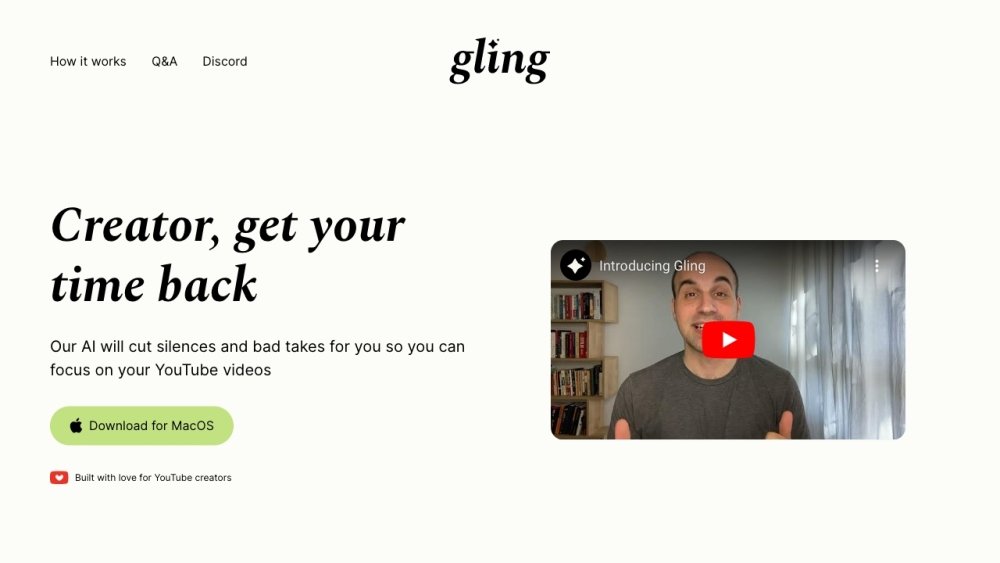
Introduction: Gling is an AI-powered video editing tool built for YouTube creators. It streamlines your editing workflow by automatically removing bad takes, silent pauses, filler words, and background noise. Additionally, Gling provides features such as AI-generated captions, auto-framing, title suggestions, and content recommendations to help optimize your YouTube channel.
Monthly Visitors: 294.8K
Social & Email: DC Discord YouTube

Gling Product Information

What is Gling?

Gling is an AI-powered video editing software designed for YouTube creators. It streamlines the editing process by automatically cutting out bad takes, silent moments, filler words, and background noise. Gling also offers features like AI captions, auto framing, title generation, and next video suggestions to maximize YouTube success.

How to use Gling?

Upload your raw recording to Gling. The AI transcribes the content, analyzes the text, and removes unwanted takes and silences. Review and refine the AI-edited video, then download or export it to popular editing software or as an MP4/MP3 file.

Gling's Core Features

  • AI-powered silence and bad take removal
  • AI Text-Based Trimmer
  • AI Captions and Subtitles
  • YouTube Title and Chapters Generator
  • Next Video Suggestions
  • Noise Removal
  • Auto Framing (Zoom in/out)

Gling Use Cases

#1 Automatically remove silences and bad takes from YouTube videos
#2 Generate engaging titles and chapters for YouTube videos
#3 Create captions and subtitles for increased accessibility
#4 Improve video quality with noise removal and auto framing

FAQ from Gling

Is Gling free to use? +

Yes, you can use Gling to edit videos for free. However, the free version includes a watermark on exported videos and does not support exports to Premiere, Final Cut, or Resolve. The first video you edit in Gling will not have these restrictions.

Do I need to enter a credit card to try Gling? +

No. You will only be asked for payment information when you choose to purchase a subscription.

What are the limits of the paid subscription? +

The Plus plan is limited to 10 hours of uploaded footage per month, while the Pro plan increases this limit to 30 hours. These limits apply to both monthly and yearly plans. Unused hours do not roll over to the next month.

How do I cancel or downgrade? +

You can cancel or downgrade at any time by navigating to the Billing section in the main menu (top-right corner of the app). You will retain access to Gling for the remainder of your current subscription period. For assistance, email info@gling.ai or reach out via our Discord server.

What kind of files are supported? +

Gling supports both audio and video files, and you can upload multiple files to a single project. We support both horizontal and vertical videos. Currently, we support the following codecs: aac, h264, mp3, opus, pcm_s16le, pcm_f32le, pcm_u8, vorbis, vp8, vp9, and av1.

Can I export a separate subtitle file? +

Yes. Simply click export and select the .srt option.

Do you offer support for billing questions or issues? +

Yes. Please email us at info@gling.ai or contact us on our Discord server, and we will be happy to assist you.

What languages are supported in Gling? +

The app interface is in English, but you can upload files containing speech in English, Spanish, Portuguese, French, German, Russian, Italian, Dutch, Hebrew, Ukrainian, Hindi, Danish, Norwegian, Swedish, Finnish, Czech, Polish, Slovak, Hungarian, Greek, Arabic, Chinese, Korean, and Japanese. If you do not see your language, please contact us at info@gling.ai.

My videos don’t contain any speech in them. Is Gling the right tool for me? +

Gling may not be the best fit for your needs if your videos do not include speech. The platform specializes in enhancing content using speech-to-text technology, so videos without speech will not fully benefit from its features.

I work with multiple cameras, is Gling the right tool for me? +

We support a multi-camera workflow only if you intend to export your file to DaVinci Resolve or Final Cut Pro. If you are exporting to Premiere or as an MP3/MP4 file, you must sync the cameras before uploading the synced file to Gling.

I work with a separate mic, is Gling the right tool for me? +

We support a separate-mic workflow only if you intend to export your file to DaVinci Resolve or Final Cut Pro. If you are exporting to Premiere or as an MP3/MP4 file, you must sync the audio before uploading the synced file to Gling.

Gling Pricing

Free

$0

Free plan available.

Related Model Comparison Pages

Use these comparison pages to understand the trade-offs between the models most relevant to Gling.

Compare Gemini 1.0 Pro Deprecated and Gemini 2.0 Flash across pricing, context window, capabilities, benchmarks, and API access to choose the better fit for long-context workloads versus long-context workloads.

Compare Gemini 1.0 Pro Deprecated and Gemini 2.5 Flash across pricing, context window, capabilities, benchmarks, and API access to choose the better fit for long-context workloads versus long-context workloads.

Compare Gemini 2.0 Flash Lite and Gemini 2.0 Flash across pricing, context window, capabilities, benchmarks, and API access to choose the better fit for long-context workloads versus long-context workloads.

Compare Gemini 2.5 Flash and Gemini 2.0 Flash across pricing, context window, capabilities, benchmarks, and API access to choose the better fit for long-context workloads versus long-context workloads.

You Might Also Like

Vocal Remover Oak

Vocal Remover Oak

AI Audio Editing

Vocal Remover Oak is an online tool that utilizes AI technology to separate vocals and accompaniment from audio and video files. It supports multiple formats, including MP3, WAV, and MP4, as well as links from YouTube and Suno.com. The platform provides free basic services alongside paid options for advanced features and batch processing.

Contact -- Views
Details
HeroPost

HeroPost

AI Productivity Tools

HeroPost is a tool designed to streamline LinkedIn content creation. It assists users with brainstorming, structuring, writing, editing, and publishing posts, allowing for consistent growth on the platform without extensive time investment. The tool also features the ability to convert YouTube videos into LinkedIn posts in seconds.

Contact -- Views
Details
Skipit

Skipit

AI Assistant

Skipit is an AI-powered YouTube video summarizer that provides instant summaries and answers from videos up to 12 hours long. By analyzing content in seconds, it extracts key points to help students, professionals, and creators save time by avoiding the need to watch entire videos.

Contact 5.2K Views
Details
Penf1

Penf1

AI Image Generator

Penf1 is an AI-powered assistant built to streamline your blogging workflow. It enables users to quickly create high-quality, SEO-optimized blog posts, helping you focus on your unique insights. Key features include instant content generation, idea brainstorming, and tools to boost overall productivity.

Contact -- Views
Details
Insights Tube

Insights Tube

AI Summarizer

Insights Tube is a centralized platform that provides quick access to key insights from top AI-related YouTube content. It enables users to efficiently skim summaries or receive them via email, helping them decide which videos to watch without spending hours browsing YouTube.

Contact -- Views
Details
ClipNow.ai

ClipNow.ai

AI Marketing

ClipNow.ai is an AI-powered platform that repurposes long-form video content into short, engaging clips for TikTok, YouTube Shorts, and Instagram Reels. The tool automatically crops, resizes, and adds captions to videos, while providing features like face tracking to maintain speaker focus across multiple languages.

Contact -- Views
Details
Snipcast.io

Snipcast.io

AI API

Snipcast.io is an AI-powered service that summarizes podcasts and videos, delivering key takeaways directly to your email in minutes. Utilizing advanced AI models, it extracts main ideas from content hosted on platforms such as Spotify, Apple Podcasts, Pocket Casts, and Overcast. The service provides a free plan with limited summaries, alongside paid tiers that offer expanded usage, transcript access, and API integration.

Contact 15.7K Views
Details
Smart Donna AI

Smart Donna AI

AI Assistant

Smart Donna AI is an automated meeting assistant that records, transcribes, and generates actionable insights from your meetings. It enhances productivity by providing AI-driven summaries, analytics, and real-time support, helping teams streamline meeting workflows with accurate documentation and integrated tools.

Contact -- Views
Details
Aiarty

Aiarty

AI Marketing

Aiarty provides AI-powered image enhancement and matting software designed to upscale, restore, and modify images for e-commerce and design professionals. The platform uses advanced AI to denoise, deblur, and upscale images to 4K, 8K, or 16K resolutions while generating fine details to improve clarity. It is optimized for both AI-generated content and traditional photo formats, including RAW, DNG, and TIFF. Additionally, the AI-based matting tool enables precise background removal and seamless blending, even for complex subjects with hair, fur, semi-transparency, or low-light conditions.

Contact 787.9K Views
Details
AISaver

AISaver

AI Video Generator

AISaver offers a suite of AI-powered tools for video and image processing, designed to make advanced technology accessible to all users. Its features include AI face swapping for videos, photos, GIFs, and multi-person scenes, alongside AI video generation, video downloading, and various enhancement tools. AISaver focuses on simplifying video creation and editing through one-click solutions that deliver high-definition results, while prioritizing user privacy and data security via local processing technology.

Contact 112.8K Views
Details
Vocaldo

Vocaldo

AI Summarizer

Vocaldo is an AI-driven speech-to-text platform that converts audio and video files into text across more than 100 languages. Key features include high-accuracy transcription, rapid processing, automated summary generation, translation tools, and support for multiple file export formats. The platform is designed to help content creators, journalists, and businesses optimize their workflows and engage global audiences.

Contact -- Views
Details
VideoAI

VideoAI

AI Image Generator

VideoAI is an AI-powered platform designed to streamline video creation. It enables users to transform ideas, emotions, and images into engaging videos. The platform supports the generation of various video types, including promotional content and educational tutorials. Key features include style transfer, which allows users to apply custom styles or select from a curated library. The interface is designed for accessibility, providing intuitive AI tools that guide users of all skill levels through the creation process. VideoAI uses advanced algorithms to maintain high quality standards, ensuring clear and crisp video output.

Contact -- Views
Details