
Free
$0Free plan available.
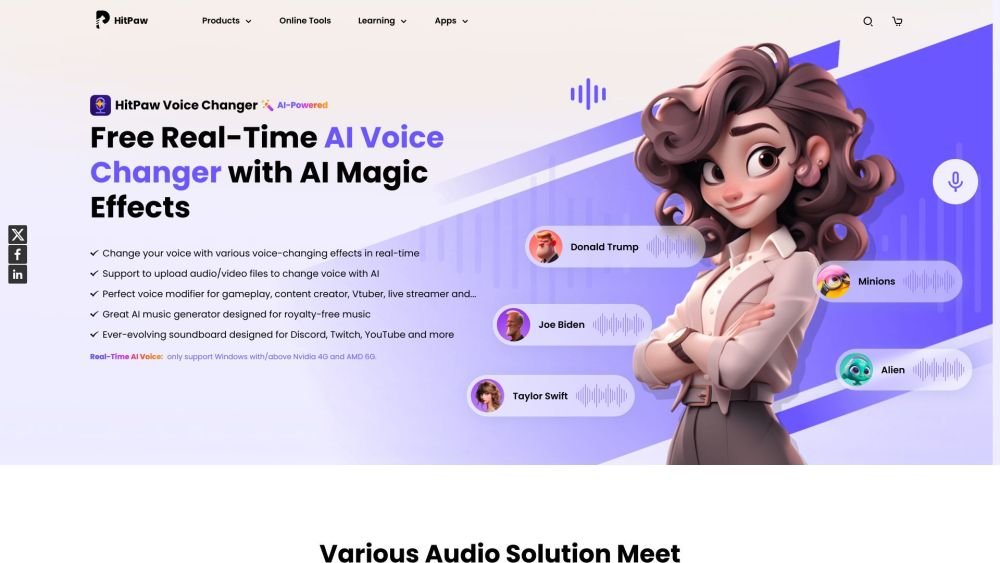
HitPaw VoicePea is a real-time AI voice changer for PC and Mac that allows users to change their voice with various voice-changing effects in real-time. It features an ever-evolving soundboard designed for Discord, Twitch, and YouTube, and uses cutting-edge AI to create dynamic AI covers of popular songs. It also includes an AI music generator designed for royalty-free music and Sora AI, and an efficient AI audio enhancer built for higher quality and clearer sound. Additionally, it offers AI-powered text to speech, effortlessly converting text into natural speech.
To use HitPaw VoicePea, configure your input and output settings, select 'HitPaw Virtual Audio Input' within your target application, and choose your preferred voice or sound effects. For the soundboard, open a third-party platform like Discord or Steam, set 'HitPaw Virtual Audio' as the input device, select your sound effects, and use custom shortcuts to trigger them. For AI covers, import your audio or video files or paste a YouTube link, select a singer model, then generate and download your cover.
HitPaw VoicePea is a popular voice changer that allows you to modify your voice in real-time during calls, online meetings, or gaming. It offers a variety of voice effects, is compatible with multiple devices and platforms, and features a user-friendly interface suitable for both beginners and professionals.
Yes, HitPaw VoicePea offers a free version that allows you to explore its real-time voice transformation features. You can test high-quality voice output and various sound effects on platforms like Discord, Twitch, Zoom, and popular games.
Yes, HitPaw VoicePea is an AI-powered Discord voice changer. It is an easy-to-use tool that allows you to modify your voice in real-time while using Discord, and it is also compatible with other communication applications.
For optimal performance, real-time AI voice effects are currently available only on Windows devices equipped with Nvidia 4G or AMD 6G graphics cards or higher. We are working on updates to support a wider range of devices.
Yes, you can use HitPaw VoicePea to change your voice to that of a celebrity. It provides a range of celebrity voice effects that you can apply in real-time to create unique content and add a new dimension to your creative projects.
Free plan available.
Use these comparison pages to understand the trade-offs between the models most relevant to HitPaw VoicePea.
Compare Gemini 1.0 Pro Deprecated and Gemini 2.0 Flash across pricing, context window, capabilities, benchmarks, and API access to choose the better fit for long-context workloads versus long-context workloads.
Compare Gemini 1.0 Pro Deprecated and Gemini 2.5 Flash across pricing, context window, capabilities, benchmarks, and API access to choose the better fit for long-context workloads versus long-context workloads.
Compare Gemini 2.0 Flash Lite and Gemini 2.0 Flash across pricing, context window, capabilities, benchmarks, and API access to choose the better fit for long-context workloads versus long-context workloads.
Compare Gemini 2.5 Flash and Gemini 2.0 Flash across pricing, context window, capabilities, benchmarks, and API access to choose the better fit for long-context workloads versus long-context workloads.

Similar AI tool in the AI Video Generator category.
Similar AI tool in the AI API category.
Similar AI tool in the AI Marketing category.
Similar AI tool in the AI Chatbot category.
Similar AI tool in the AI Image Generator category.
Similar AI tool in the AI Chatbot category.
Similar AI tool in the AI Video Generator category.
Similar AI tool in the AI Image Generator category.
Similar AI tool in the AI Video Generator category.
Similar AI tool in the AI Image Generator category.
Similar AI tool in the AI Writing Assistants category.
Similar AI tool in the AI Video Generator category.