
Free
$0Free plan available.
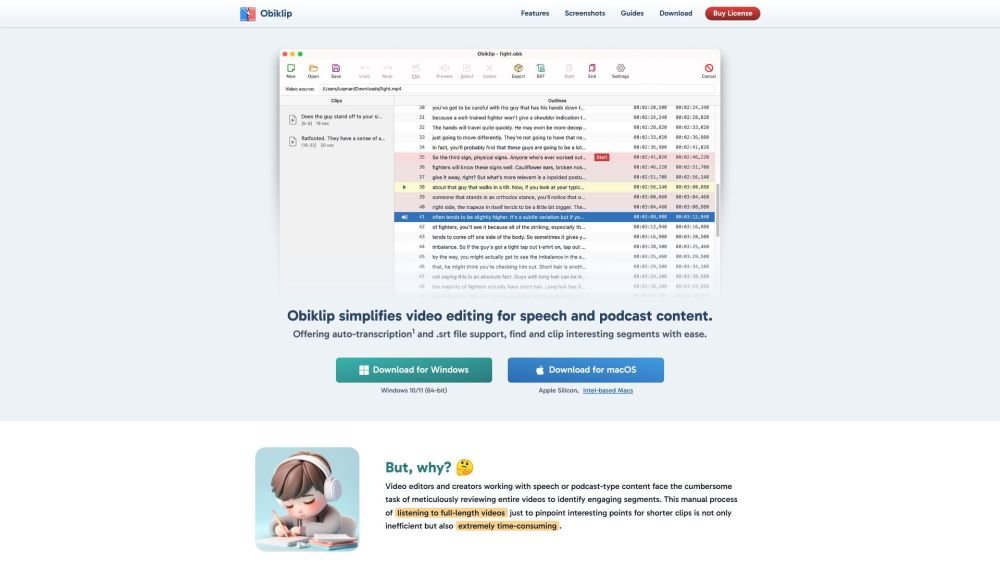
Obiklip simplifies video editing for speech and podcast content. By providing auto-transcription and .srt file support, it allows users to find and clip interesting segments with ease. Available for Windows and macOS, Obiklip streamlines the process of reviewing videos, identifying key moments, and creating engaging clips by automatically transcribing video content and providing a navigable list of lines.
Obiklip automatically transcribes your video content and presents it as a navigable list of lines. Skim the transcript to identify topics and interesting segments, mark your start and end points, and generate shorter clips.
Obiklip simplifies video editing for speech and podcast content by providing auto-transcription and .srt file support, making it easy to locate and extract interesting segments.
Obiklip uses the OpenAI API to automatically convert spoken video content into text. A valid OpenAI API key is required, and OpenAI charges a fee for each use of their transcription service.
Yes, free users are limited to 7 previews and a maximum of 5 clips. Registered users with a valid license have access to unlimited previews and clip creation.
Obiklip supports a wide range of languages for video transcription, including Afrikaans, Arabic, Chinese, English, French, German, Hindi, Japanese, Korean, Russian, Spanish, and many others.
Free plan available.
Use these comparison pages to understand the trade-offs between the models most relevant to Obiklip.
Compare Gemini 1.0 Pro Deprecated and Gemini 2.0 Flash across pricing, context window, capabilities, benchmarks, and API access to choose the better fit for long-context workloads versus long-context workloads.
Compare Gemini 1.0 Pro Deprecated and Gemini 2.5 Flash across pricing, context window, capabilities, benchmarks, and API access to choose the better fit for long-context workloads versus long-context workloads.
Compare Gemini 2.0 Flash Lite and Gemini 2.0 Flash across pricing, context window, capabilities, benchmarks, and API access to choose the better fit for long-context workloads versus long-context workloads.
Compare Gemini 2.5 Flash and Gemini 2.0 Flash across pricing, context window, capabilities, benchmarks, and API access to choose the better fit for long-context workloads versus long-context workloads.

Similar AI tool in the AI Transcription category.
Similar AI tool in the AI Copilot category.
Similar AI tool in the AI Summarizer category.
Similar AI tool in the AI Marketing category.
Similar AI tool in the AI Image Generator category.
Similar AI tool in the AI Chatbot category.
Similar AI tool in the AI Image Generator category.
Similar AI tool in the AI Video Generator category.
Similar AI tool in the AI Writing Assistants category.
Similar AI tool in the AI Video Generator category.
Similar AI tool in the AI Chatbot category.
Similar AI tool in the Large Language Models (LLMs) category.