
Free
$0Free plan available.
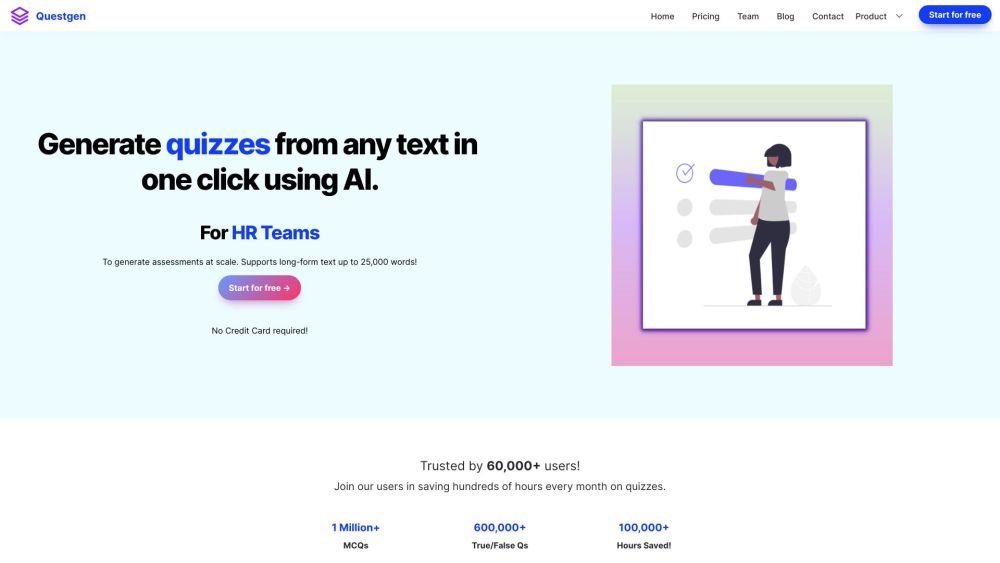
Questgen is an AI-powered quiz generator that creates various types of assessments from text, PDFs, webpages, videos, and more. It supports multiple quiz formats, including MCQs, True/False, Fill-in-the-blanks, Higher-Order Questions, and Bloom's taxonomy quizzes. It is designed for teachers, students, HR teams, and publishers to save time and cost in assessment creation.
To use Questgen, input your text, a URL, or upload a document. Select the desired quiz question type (such as MCQ or True/False) and click Submit. Once generated, you can edit the questions and export them into formats like PDF, CSV, or Moodle XML.
Questgen supports plain text, website URLs, PDFs, Word documents (DOCX), images, audio, and video files.
You can export quizzes in JSON, QTI 2.1 (Zip), PDF (Q&A, Questions Only, or Answers Only), Moodle XML, GIFT, AIKEN, RESPONDUS, and various CSV formats compatible with D2L BrightSpace, Form Builder for Gsheets, GimKit, TriviaMaker, and Quizziz.
Questgen can generate Multiple Choice Questions (MCQs), MCQs with multiple correct answers, True/False questions, fill-in-the-blanks, higher-order questions, match-the-following questions, and Bloom's taxonomy-based quizzes.
Free plan available.
Use these comparison pages to understand the trade-offs between the models most relevant to Questgen.
Compare Gemini 1.0 Pro Deprecated and Gemini 2.0 Flash across pricing, context window, capabilities, benchmarks, and API access to choose the better fit for long-context workloads versus long-context workloads.
Compare Gemini 1.0 Pro Deprecated and Gemini 2.5 Flash across pricing, context window, capabilities, benchmarks, and API access to choose the better fit for long-context workloads versus long-context workloads.
Compare Gemini 2.0 Flash Lite and Gemini 2.0 Flash across pricing, context window, capabilities, benchmarks, and API access to choose the better fit for long-context workloads versus long-context workloads.
Compare Gemini 2.5 Flash and Gemini 2.0 Flash across pricing, context window, capabilities, benchmarks, and API access to choose the better fit for long-context workloads versus long-context workloads.

Similar AI tool in the AI Summarizer category.
Similar AI tool in the AI Chatbot category.
Similar AI tool in the AI Assistant category.
Similar AI tool in the AI Assistant category.
Similar AI tool in the AI Productivity Tools category.
Similar AI tool in the AI Chatbot category.
Similar AI tool in the AI Assistant category.
Similar AI tool in the AI Agent category.
Similar AI tool in the AI Chatbot category.
Similar AI tool in the AI Productivity Tools category.
Similar AI tool in the AI Assistant category.
Similar AI tool in the AI Assistant category.