
Free
$0Free plan available.
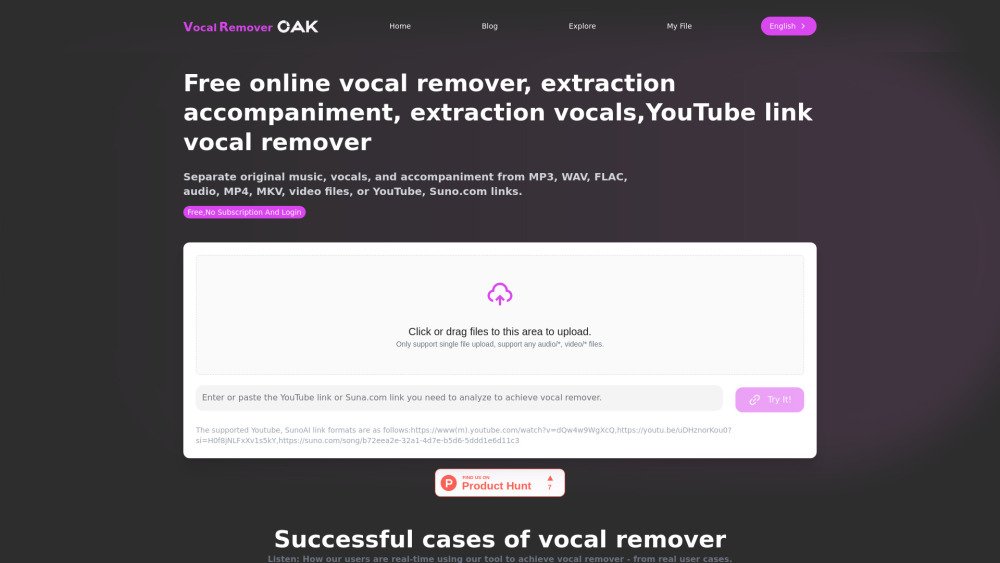
Vocal Remover Oak is an online tool that utilizes AI technology to separate vocals and accompaniment from audio and video files. It supports multiple formats, including MP3, WAV, and MP4, as well as links from YouTube and Suno.com. The platform provides free basic services alongside paid options for advanced features and batch processing.
Upload your local audio or video files, or paste a link from YouTube or Suno.com. The AI will then process the file to separate the vocals from the accompaniment.
We support various audio and video formats, including MP3, WAV, and MP4. You can upload files directly or provide links from YouTube and Suno.com.
We offer basic vocal removal services for free. Advanced features and batch processing may require a fee; please check our pricing page for details.
Processing typically takes a few minutes, depending on the file size and current server load. We aim to deliver results as quickly as possible.
We use advanced AI technology to ensure high-quality results. In most cases, the separated vocals and accompaniment remain clear and retain the original sound quality.
To allow others to download separated audio, files are saved and shared by default. However, you can choose to delete your files immediately after processing. We guarantee that once you select delete, your files are permanently removed from our servers.
If you are not satisfied with the output, we recommend re-uploading the file and adjusting your settings, or contacting our customer service team for assistance. We are committed to providing the best possible user experience.
Free plan available.
Use these comparison pages to understand the trade-offs between the models most relevant to Vocal Remover Oak.
Compare Gemini 1.0 Pro Deprecated and Gemini 2.0 Flash across pricing, context window, capabilities, benchmarks, and API access to choose the better fit for long-context workloads versus long-context workloads.
Compare Gemini 1.0 Pro Deprecated and Gemini 2.5 Flash across pricing, context window, capabilities, benchmarks, and API access to choose the better fit for long-context workloads versus long-context workloads.
Compare Gemini 2.0 Flash Lite and Gemini 2.0 Flash across pricing, context window, capabilities, benchmarks, and API access to choose the better fit for long-context workloads versus long-context workloads.
Compare Gemini 2.5 Flash and Gemini 2.0 Flash across pricing, context window, capabilities, benchmarks, and API access to choose the better fit for long-context workloads versus long-context workloads.

Similar AI tool in the AI Transcription category.
Similar AI tool in the AI Assistant category.
Similar AI tool in the AI Writing Assistants category.
Similar AI tool in the AI Assistant category.
Similar AI tool in the AI API category.
Similar AI tool in the AI Video Generator category.
Similar AI tool in the AI Writing Assistants category.
Similar AI tool in the AI Assistant category.
Similar AI tool in the AI Text-to-Speech category.
Similar AI tool in the AI Transcription category.
Similar AI tool in the AI Voice Cloning category.
Similar AI tool in the AI Course category.